

What you should know
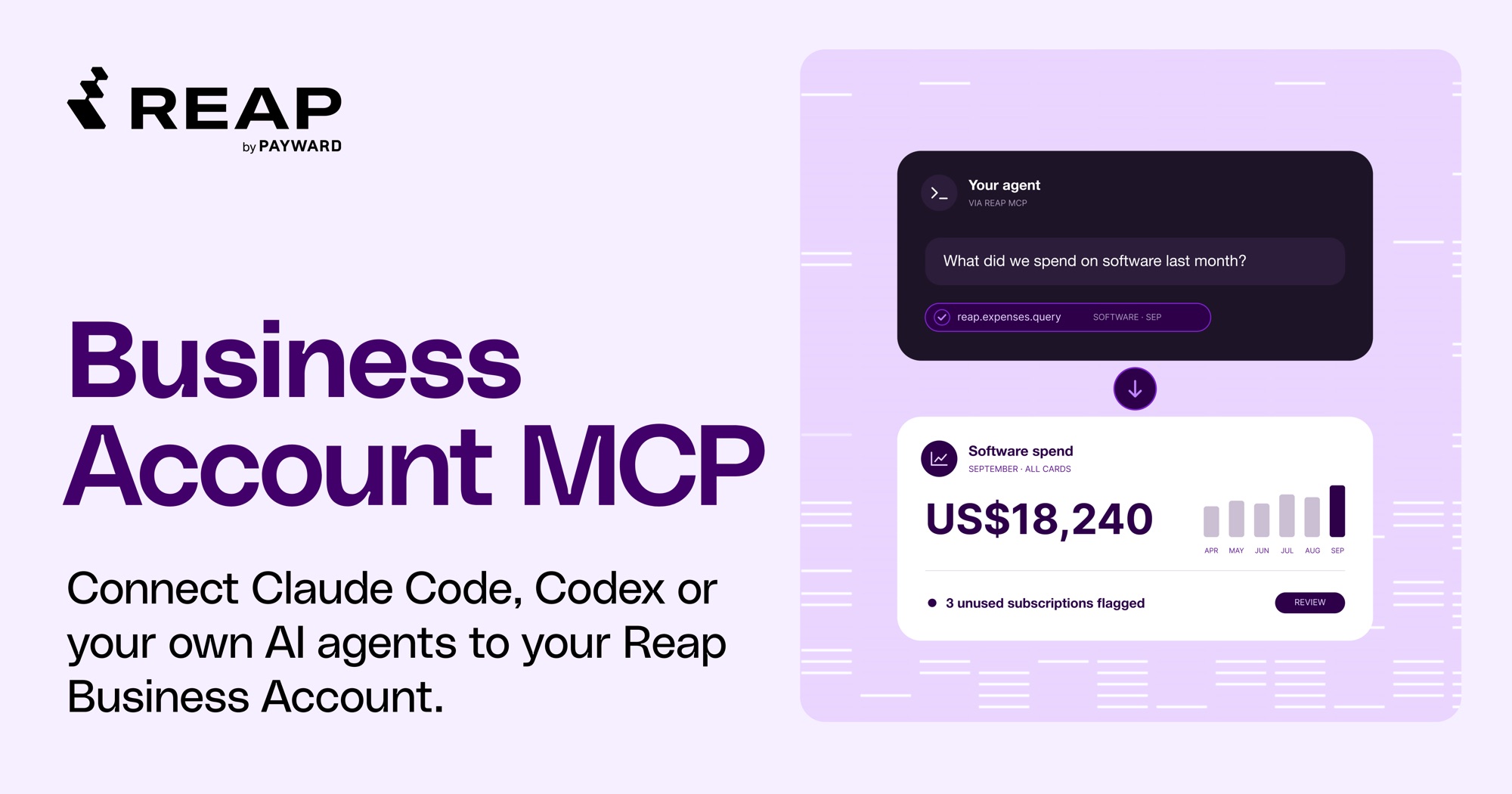
Reap Business Account admins can now run their account from Claude Code or Codex. The Business Account MCP is a way for AI agents to get information from your Reap Business Account. Claude Code, Codex and any other tool that supports remote MCP servers can connect to it with your own API key. You ask in plain English. Your agent creates cards, checks balances and pulls expense data.
What is the Business Account MCP?
MCP, short for Model Context Protocol, is an open standard that lets an AI agent call tools in another system. Until now, a developer had to build an integration before a business could use the Business Account API. With the MCP, an admin creates a key and connects an agent, then asks.
Reap hosts the Business Account MCP as a remote MCP server, built on top of the Business Account API. Your agent calls the MCP, which then calls the API with your own key. Reap applies your key's scopes, IP allowlist and audit trail exactly as it does for any API call. You install no plugin and build no integration. Your agent can work with cards, transaction details, team members, transaction categories and funding details.
What can your agent do with Business Account MCP?
Your agent can do whatever your key's scopes allow:
- Cards: create, rename, freeze, unfreeze and terminate corporate cards, and set budgets, limits and usage hours.
- Team members: list the team members who can hold a card.
- Spend and balances: read card activity and balances, then turn them into answers, tables or CSV files for expense management and reconciliation.
- Treasury funding: get funding instructions, check Treasury history, and tell Reap about a bank transfer you have already sent.
Prompts that work today:
- "Create 5 virtual cards for the marketing team with a $500 monthly limit."
- "Freeze all of Alex's cards. Alex left today."
- "What's our available credit?"
- "Put September's card activity by category in a CSV for our ERP."
How does it work in practice?
Your agent turns the request into API calls. If a detail is missing, it asks before doing anything, whether that is which team member should hold the card or what limit the card needs.
Creating or terminating a card always shows a preview first, one line per change, with warnings such as "already frozen". Nothing runs until you approve, even for a single card. Other changes run as soon as the agent calls them, and freezing one card is an example. Set your agent to ask first if you want to approve those too. You can combine up to 25 changes of different types in one request: freeze some cards, change limits on others and create new ones.
What does it not do?
- It cannot move money. It can share funding instructions and record a transfer you have already sent.
- It never reveals full card details. According to the setup guide, no tool shows a card number, expiry or CVV. Cards are identified by name and last four digits.
- New cards are virtual only, according to the setup guide.
- It is in beta with no sandbox as of November 2026. Every action is real.
- It does not work in the Claude or ChatGPT chat apps yet. Those need OAuth support, which is an upcoming project.
How secure is it?
The MCP uses your API key, so it has the API's permissions and nothing more. You set what your agent can do through the key's scopes, and a read-only key gives a read-only agent. Your key's IP allowlist, which is on by default, applies wherever your agent runs. If Claude Code or Codex runs on your computer, add that computer's public IP. If your agent runs in the cloud, ask it for the IP addresses it calls from and add them in the dashboard. The agent sends the key as a request header, and the setup guide has you save it in an environment variable. You can revoke the key in your dashboard. Your agent loses access on its next call.
One difference from calling the API directly: requests and responses pass through the AI provider you choose.
Who is it for?
Advertising and media buying. Teams running one card per ad account or campaign can create, adjust and freeze those cards in bulk, in a single request.
Employee card programs. Give a new joiner a card with limits that match their role, and terminate a leaver's cards, in one request.
Finance and operations. You can ask for last month's charges, your available credit or a CSV of spend by category, with no manual export.
How do you get started?
- Create an API key. In your dashboard, go to API, then Create key. Choose the scopes your agent should have. Start with read scopes. Add your computer's public IP to the key's allowlist.
- Connect your agent. Add the MCP to Claude Code or Codex with the command in the setup guide. Giving the guide's URL to Claude Code or Codex lets it set itself up.
- Ask. Start with "Who are my team members?" and go from there.
Only users who can create a Business Account API key can connect. If your Business Account does not have API access yet, a team admin can request it in the dashboard under API, then Request access. Access is granted per business, and the business's card application must be issued. See the Business Account MCP page for the full overview.
What is next?
Reap plans OAuth support, so more tools can connect to the MCP.
New to Reap? Create an account
Disclaimer
The information provided in this material is for general informational purposes only and does not constitute legal, financial, tax, or business advice. It should not be interpreted as a recommendation, offer, solicitation, or inducement to engage with Reap’s products or services. Any use of Reap’s services is at the user’s sole risk and discretion.
Reap makes no representation or warranty, express or implied, regarding the accuracy, completeness, or reliability of the information provided. Services are governed exclusively by Reap’s applicable legal agreements. Service availability, features, and eligibility may vary by jurisdiction and are subject to regulatory, card network, and operational limitations.
All trademarks, logos, and brand names are the property of Reap and/or their respective owners. References to third-party platforms or services are for descriptive purposes only and do not imply endorsement, partnership, or affiliation.
Reap’s services and information are provided on an "as is" and "as available" basis, without warranties of any kind. Reap shall not be liable for any loss or damage arising from the use of, or reliance on, this information or its services.


