
Reconciling your card statements shouldn't require a support ticket or hours of manual work. Finance teams need to trace the connection between collateral deposits, credit limit changes, and spending - now, we’ve made it much easier.
We've completely restructured Reap Card statements to give you audit-grade visibility into collateral movements, credit limit changes, and fund flows — all in one document. The new three-section format answers the question finance teams have been asking: "How did we get to this credit limit?"
What Changed
Your statement now uses a three-section structure designed to trace the full audit trail from deposits to credit limits to spending. Here's a quick look at what's different:
How to Read the Numbers
Before diving in, here's how numbers appear across your statement:
Bill Summary: Brackets mean a value reduces your outstanding balance (e.g., repayments). Positive values add to your outstanding balance (e.g., transactions, fees, interest).
Bill Breakdown: In the Amount column, all values are displayed as positive — deposits, repayments, transactions, rebates, and interest. To understand whether an amount adds to or reduces your balance, look at the Balance column. The Balance column is always in brackets (outstanding balance owed).
Note on repayments: The same repayment appears in brackets on the Collateral Movement page (reduces credit limit) but positive on the Bill Breakdown (reduces outstanding balance) — both are correct, just different perspectives.
Transaction pages: Brackets are charges (money spent). Positive amounts are refunds.
Available Credit formula:
Available Credit = Credit Limit − Outstanding Balance
Page 1: Collateral Overview
Use this page to verify your deposits and understand how your credit limit changed during the statement period.
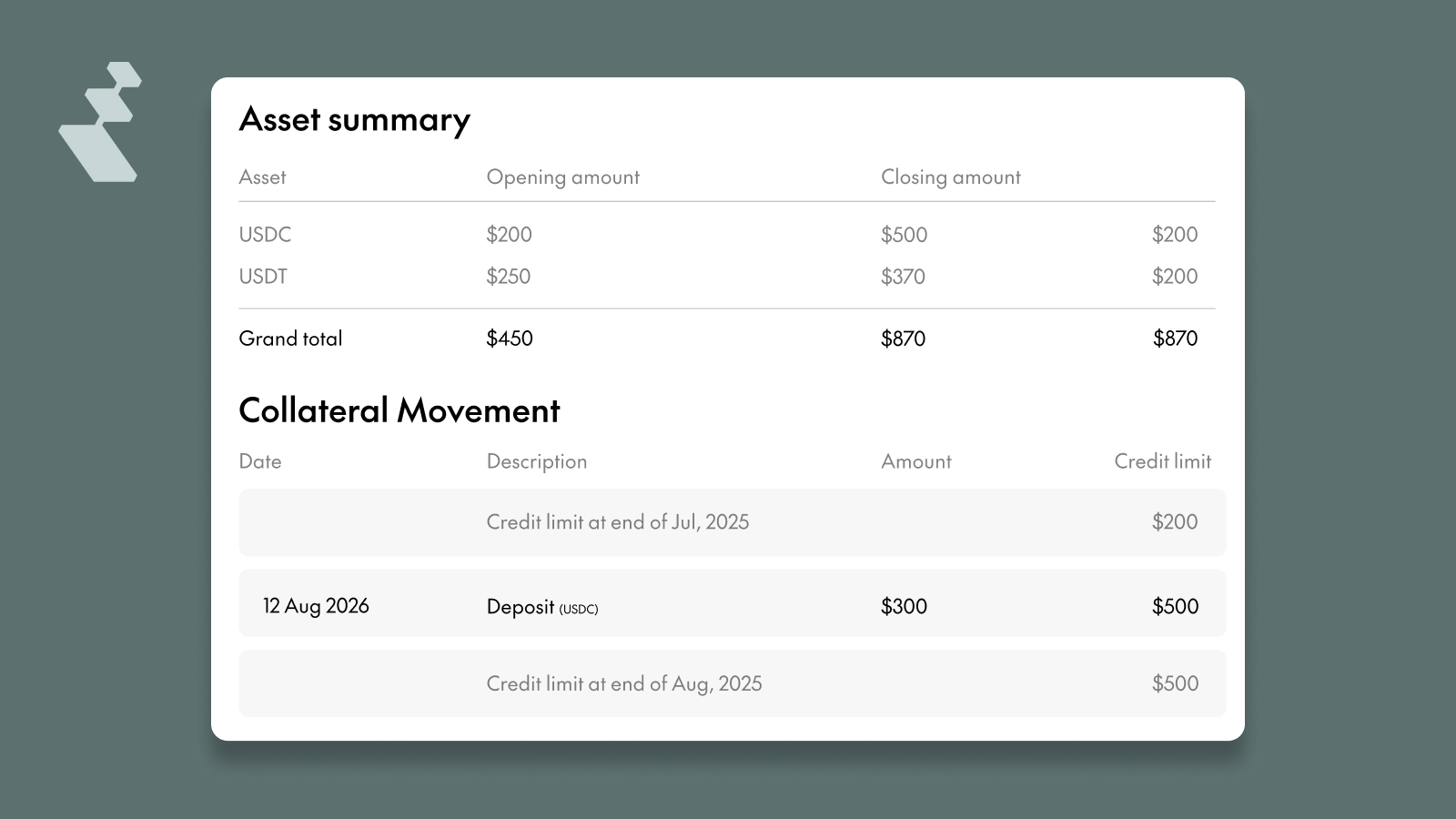
The Asset Summary shows each collateral type you hold (USDC, USDT, USDe) with opening and closing balances and the net change for the month.
The Collateral Movement section is your credit limit audit trail. It tracks every deposit and repayment with dates, asset types, amounts, and FX rates applied — alongside a running credit limit after each movement. You can see exactly how your credit limit went from its starting point to its ending value.
For new customers, your first statement will show your initial deposit as the first entry, with the resulting credit limit displayed immediately after.
Page 2: Account Summary
Use this page to understand how your outstanding balance changed and verify your available credit.
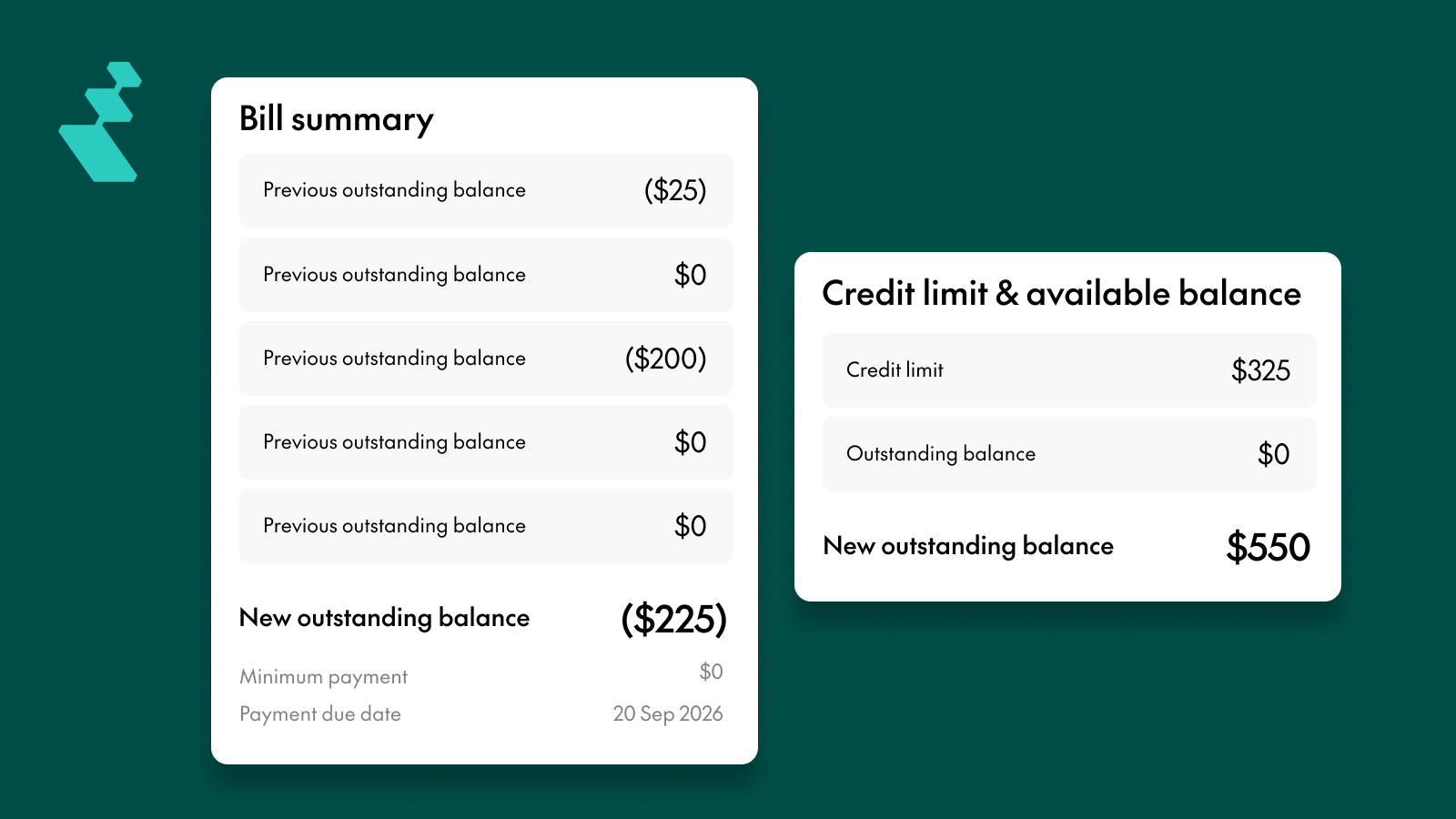
The Bill Summary shows your previous outstanding balance, repayments, transactions and fees, interest charges (if applicable), and your new outstanding balance — along with the minimum payment and due date.
The Credit Limit & Available Balance section shows your total spending capacity based on your collateral, your current outstanding balance, and your available credit.
Bill Breakdown
This is the key reconciliation view — it shows the full flow of how you got from opening to closing:
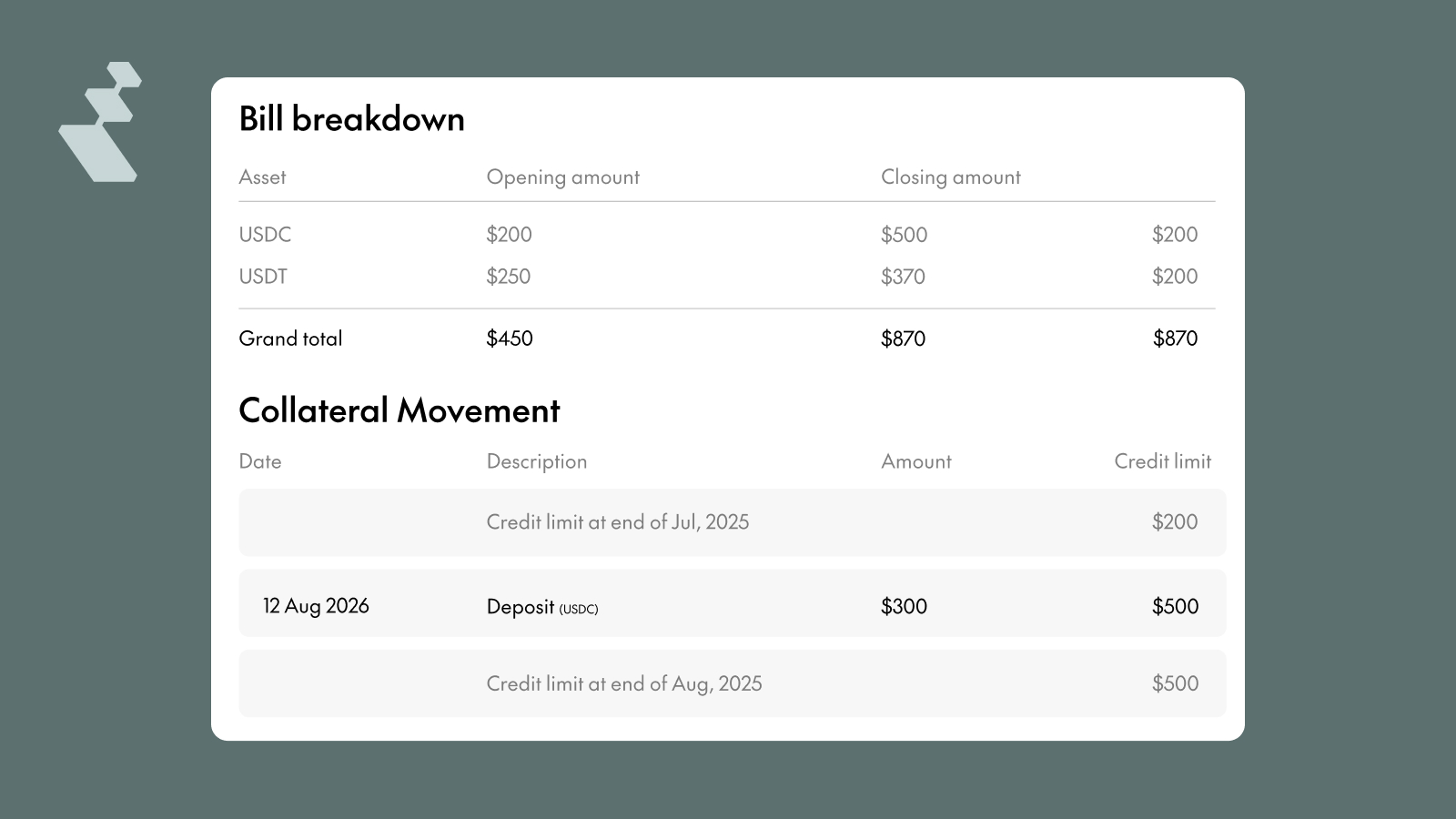
Here's how each action affects your balances:
This table is the single most useful reference when reconciling your statement. It answers the question: "How did we get here?"
Page 3+: Card-by-Card Transactions
Use this page to audit spend per employee and review individual transactions.
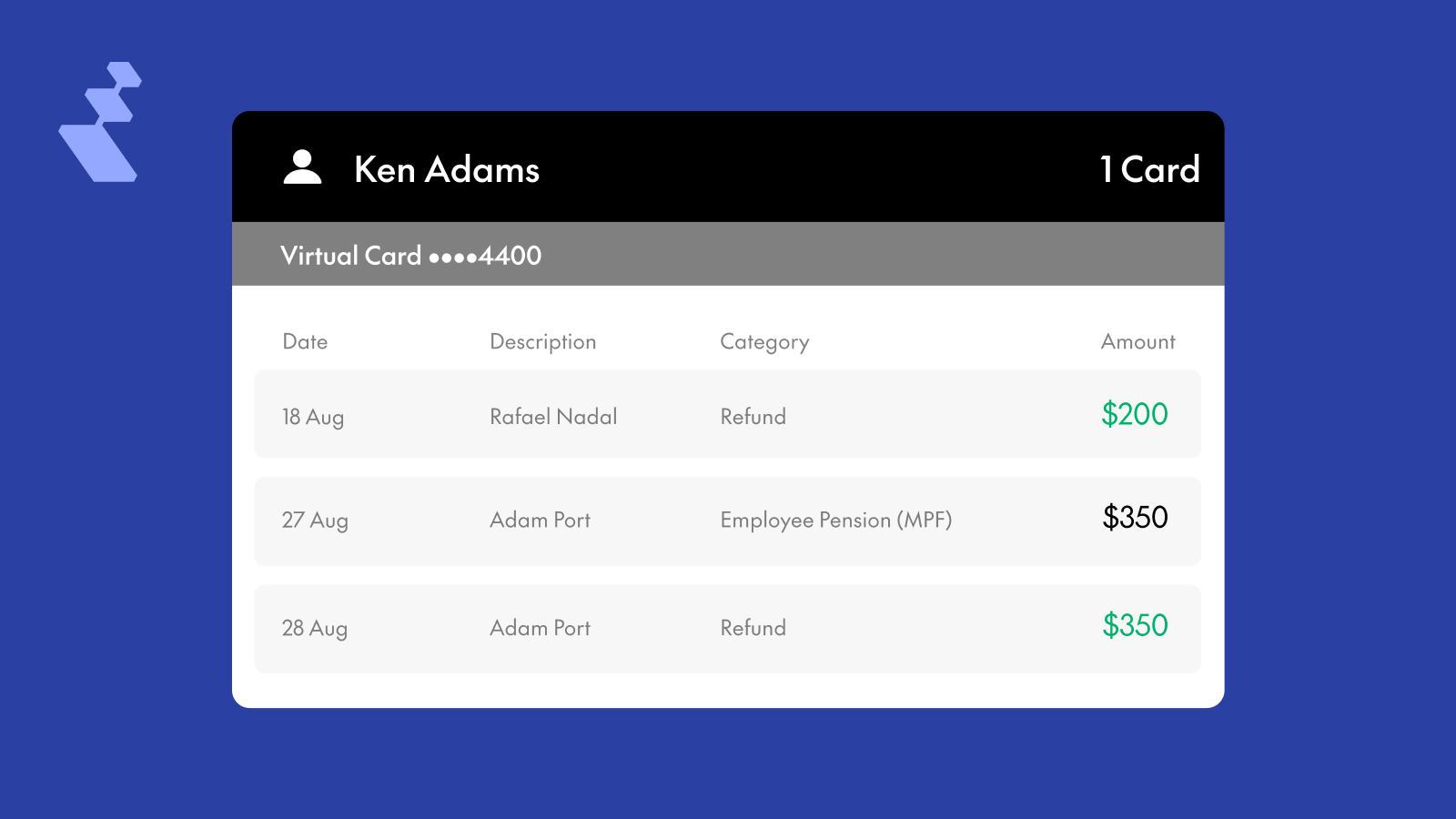
Transactions are now grouped by cardholder, then by card — making employee-level audits significantly easier. Each transaction shows the date, merchant name, category, and amount in your statement currency. For non-local transactions, the original currency and amount are displayed below.Refunds appear as positive amounts (no brackets) with "Refund" as the category.
CSV Export
The CSV export includes everything in the PDF statement plus additional fields for deeper reconciliation:
The CSV is designed to be import-ready for general ledger systems like NetSuite, Xero, and Oracle. Use the Reference ID to match transactions across tables.
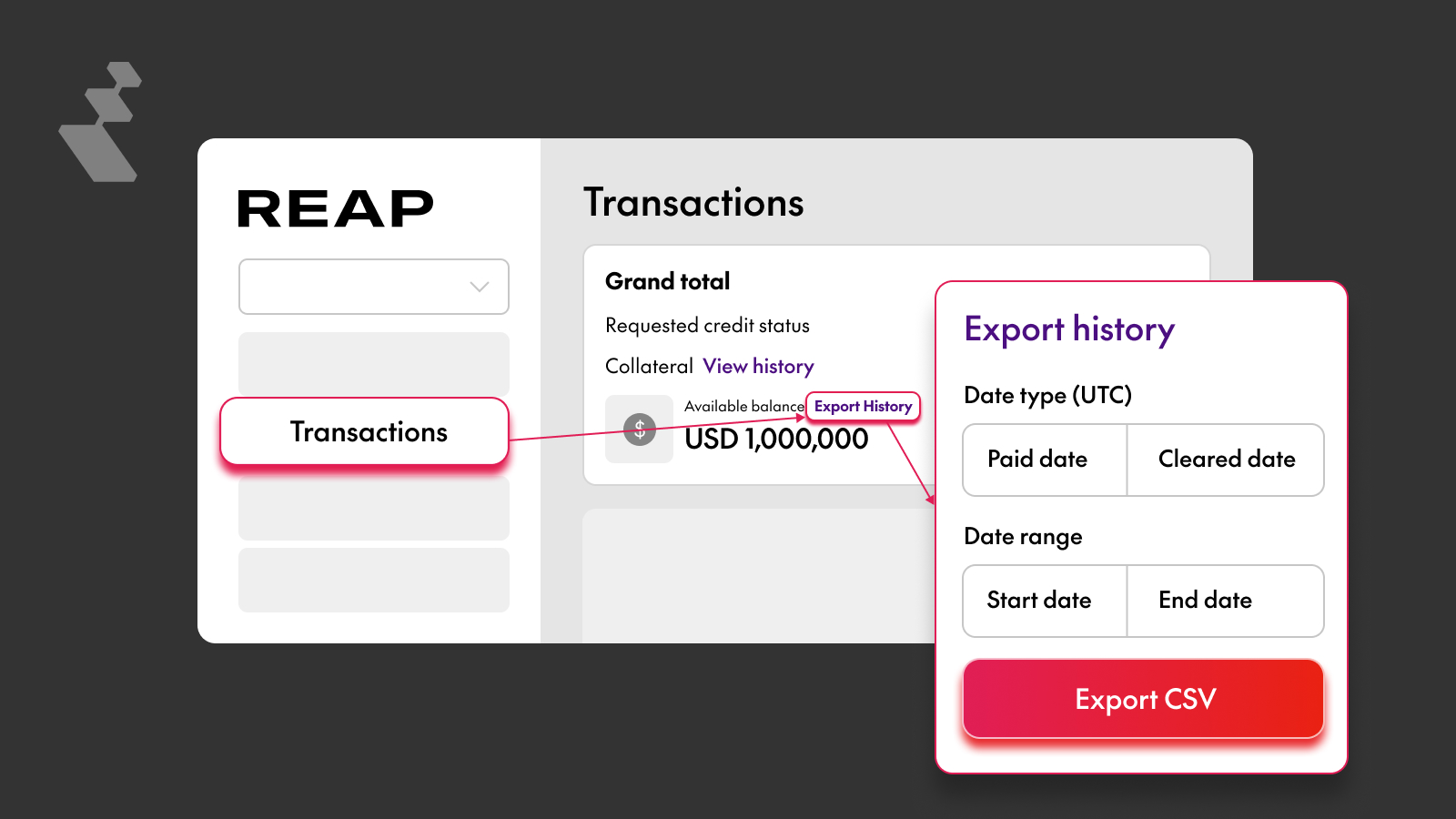
How to export: Use the Export History button next to the Available Balance on the Transaction Page in the Reap Card section of your dashboard.


