


This month's updates put approvals on mobile, make USD and HKD collateral repayments self-serve, and tighten accuracy across card permissions and team management.
What's New at a Glance
New
1. Approve and Reject Requests from the Reap Mobile App
Approvers can now review and act on pending card requests and payment approvals directly from the Reap Mobile App. See the full request details and approve in two taps, or reject with an optional comment. No more switching to a desktop browser.
Who this helps: Admins and group owners who approve card requests or Reap Pay payments, especially when away from their desk.
How to use it: Open the Reap Mobile App and tap the Approvals tab. Pending requests are organized by Payments and Cards, with enough context to decide: requester name, amount, and deadline for time-sensitive payments.
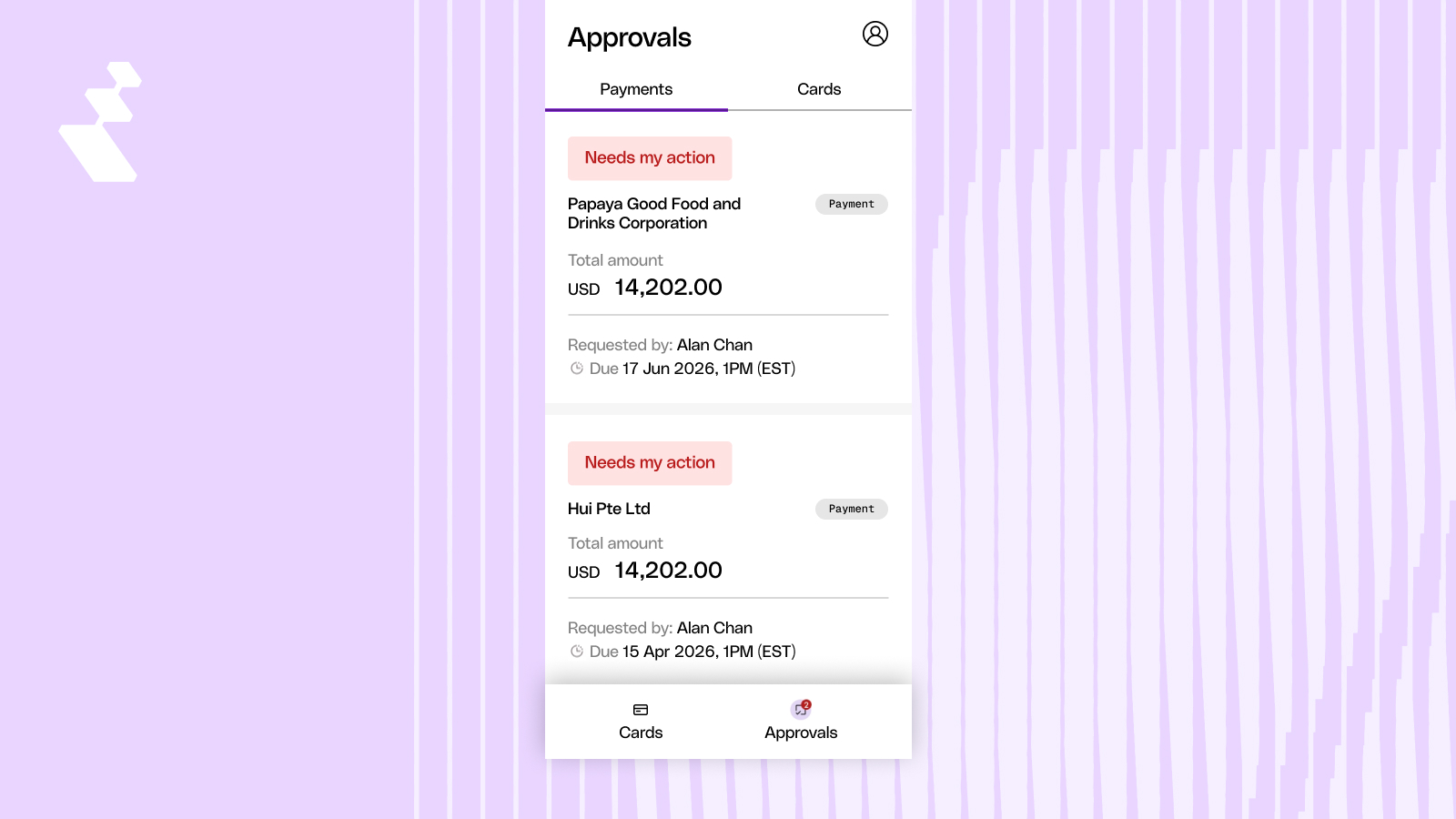
Approvals list in mobile app showing pending payment and card requests
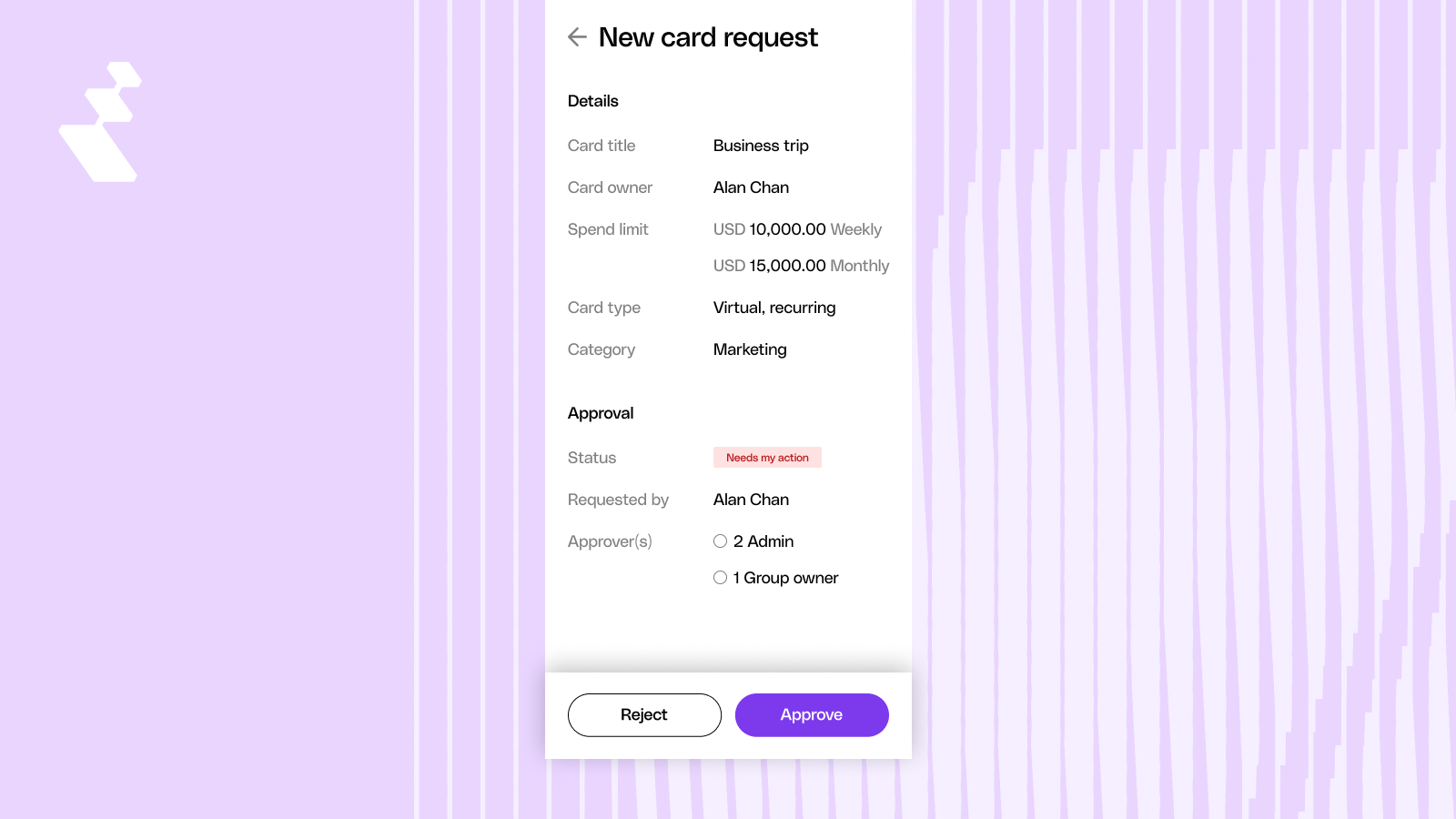
Card approval detail view showing card title, spend limit, card type, and Approve/Reject buttons
2. Repay Your Card Balance from USD or HKD Collateral
If you hold USD or HKD collateral, you can now repay your card balance directly from the dashboard. Processing is instant and free. No more contacting support for manual processing each month.
Who this helps: Finance teams with USD or HKD collateral deposits who previously relied on support to process repayments.
How to use it: Open the repayment flow in your dashboard. USD or HKD (matching your entity's base currency) appears in the collateral source dropdown alongside USDC and USDT. Select your source, confirm, and your balance updates immediately.
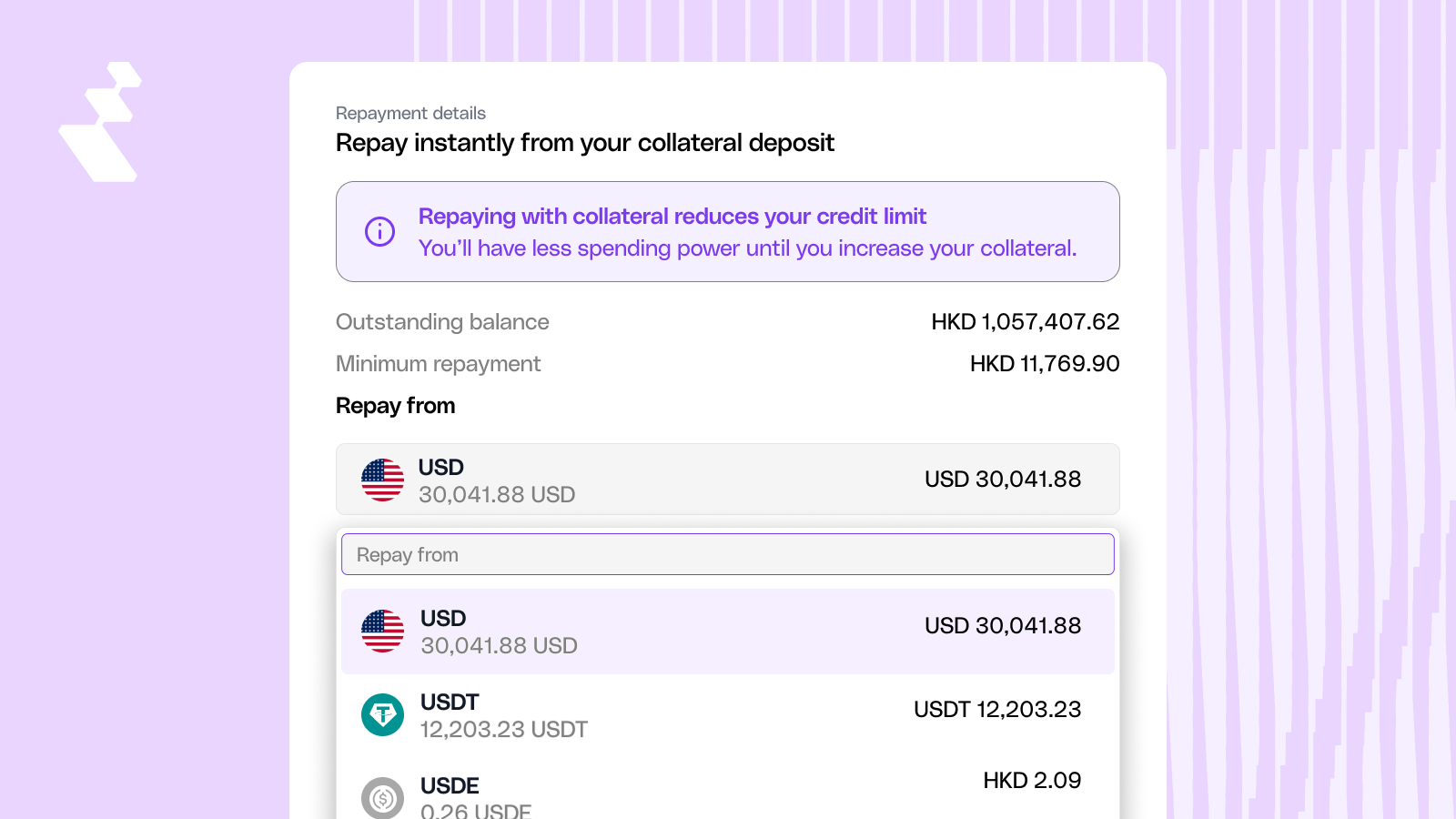
Repayment flow showing "Repay from" dropdown with HKD collateral selected alongside USDT and USDe options
Enhancements
1. Recipient Selection Shows Account Details
The recipient dropdown now includes the recipient name, currency, and account number. If you have the same recipient saved with different bank accounts, you can tell them apart at a glance.
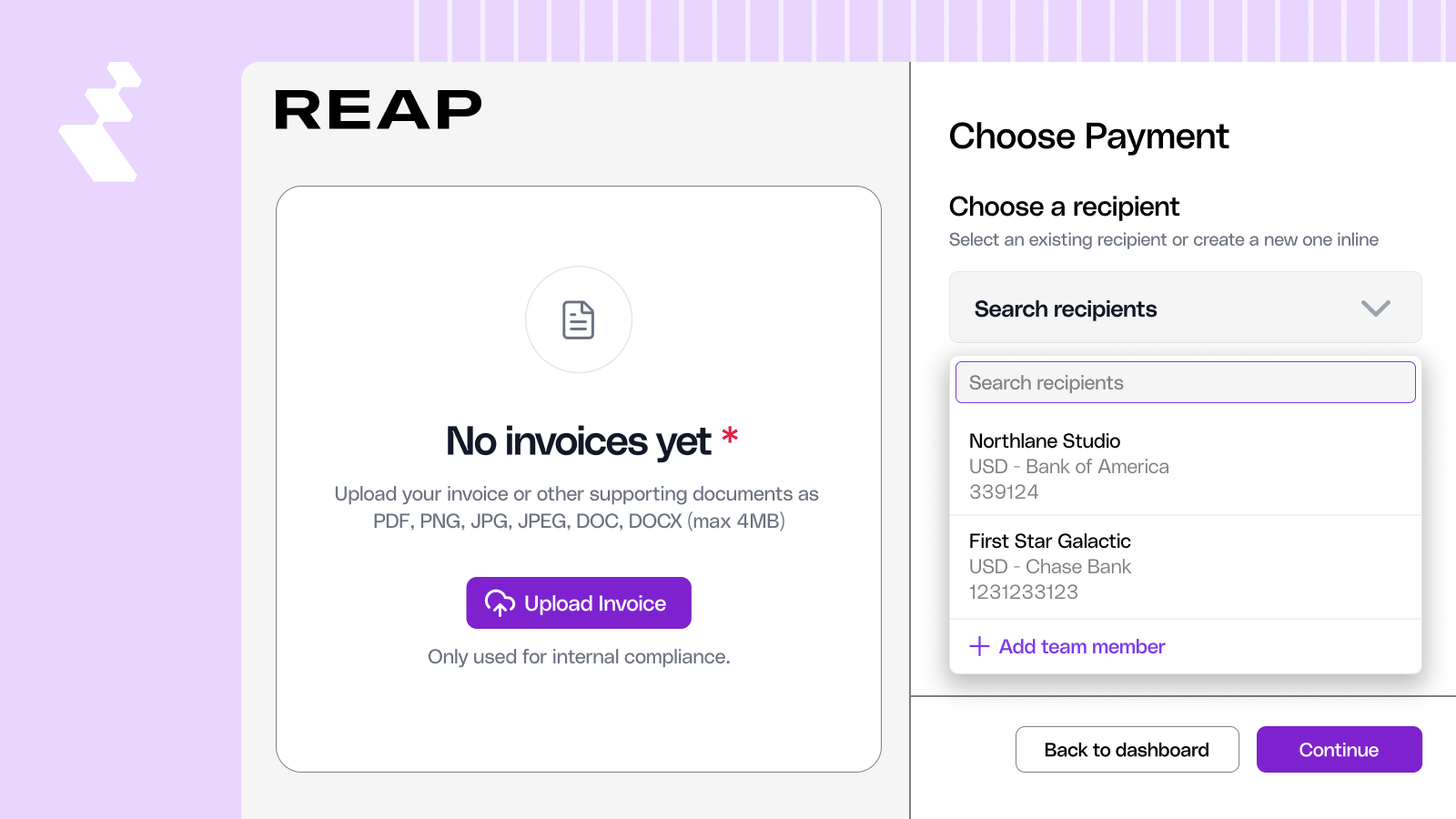
Recipient selection dropdown showing recipient names with currency and account number details
2. Account Emails Identify the Affected Entity
Offboarding and account freeze notification emails now include the entity name, so you know which business is affected when managing multiple entities on Reap.
3. Cleaner Entity Switcher
The entity switcher has been redesigned with a cleaner layout. Rejected entities are handled properly in the list, so you won't run into unexpected behavior when switching between businesses.
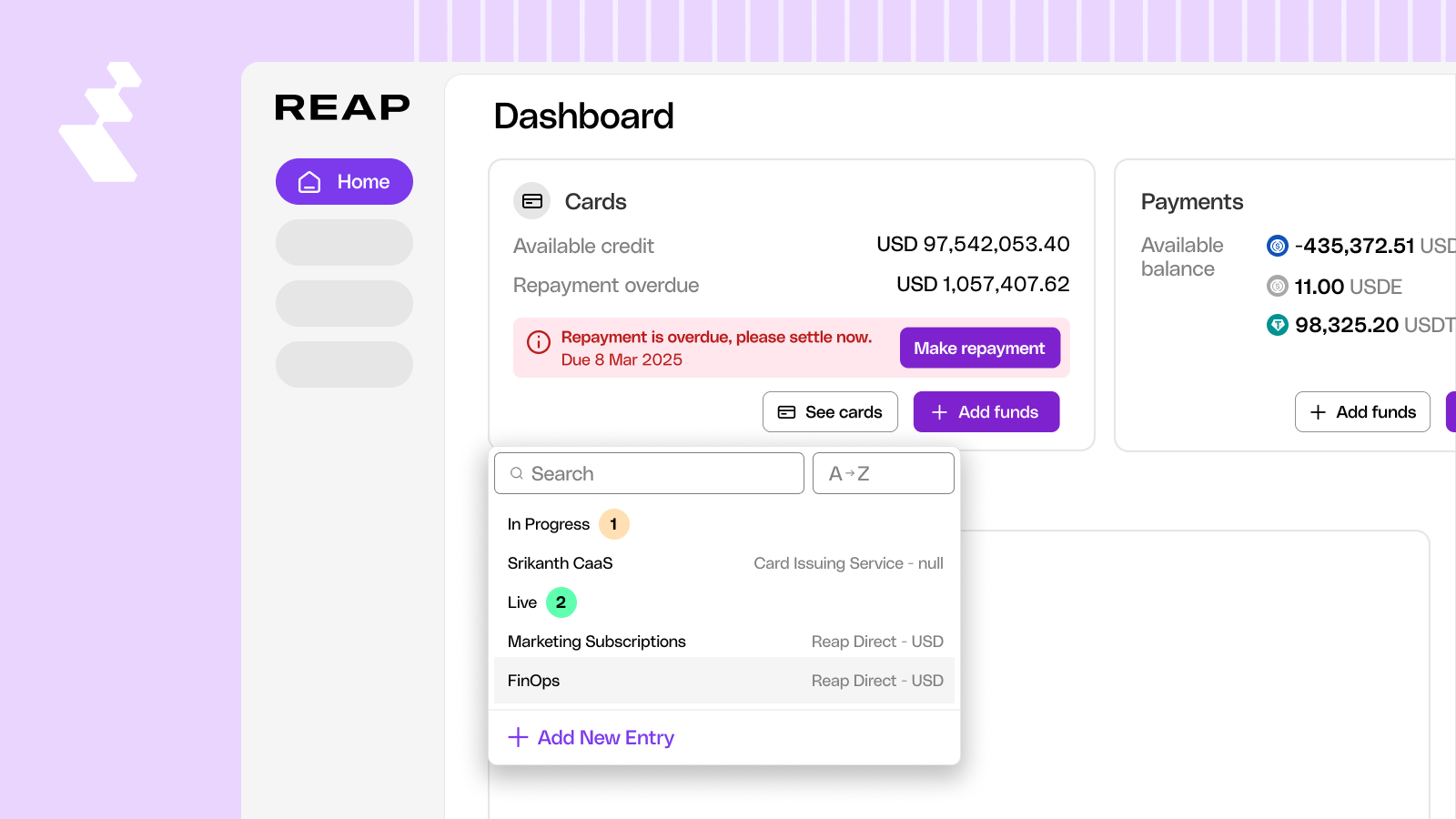
Updated entity switcher UI showing improved layout and entity status handling
4. PDF Receipt Uploads in the Reap Mobile App
You can upload PDF receipts and invoices in the mobile app, alongside image files.
5. Updated Team Management Page
The team page includes additional columns and updated icons for a clearer view of team members and their roles.
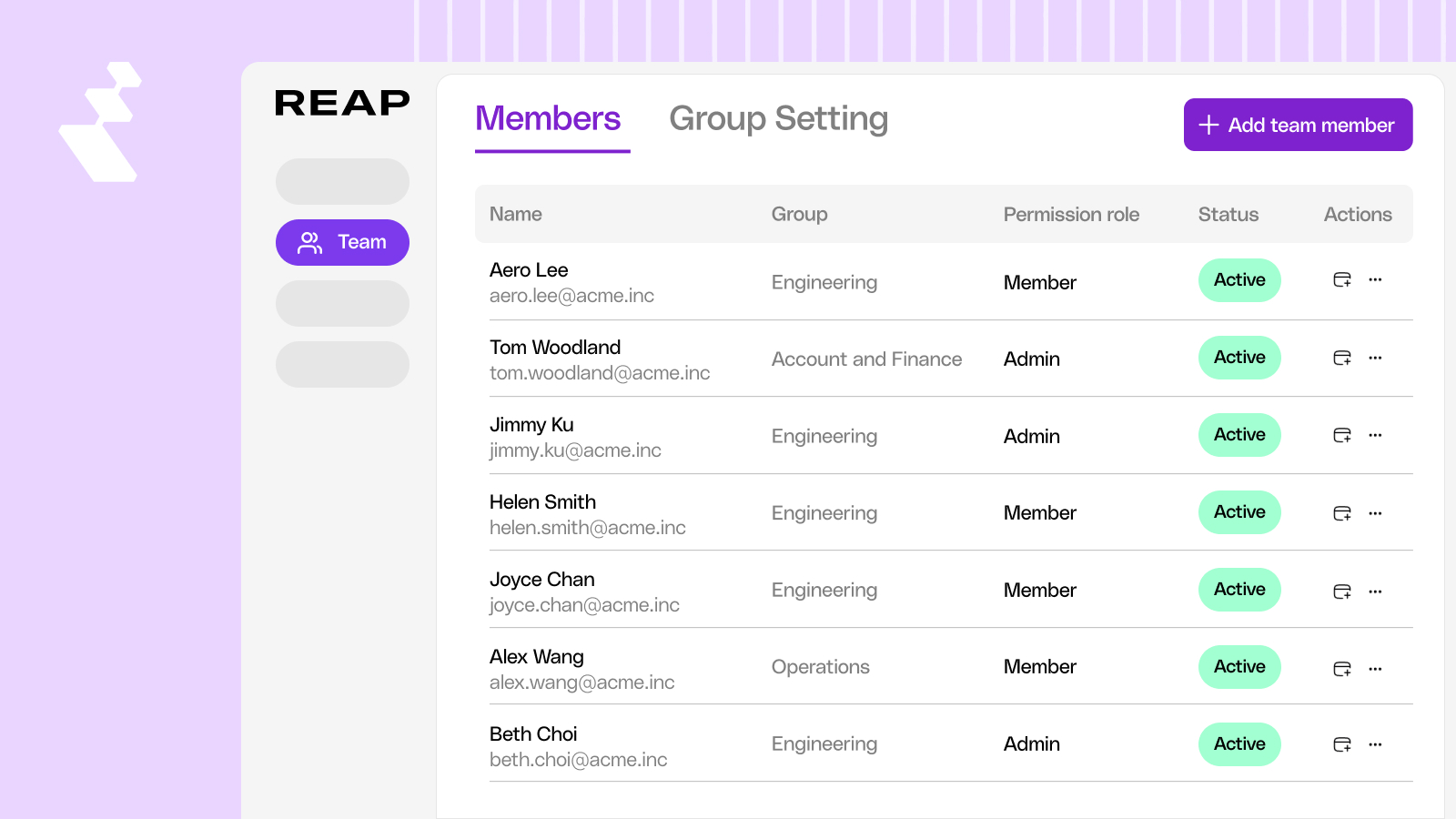
Updated team page with new columns and icons
Fixes
1. Card Permission and Approval Accuracy
Several fixes to card permissions and approvals this month. Parallel approvers can no longer create duplicate cards, top-up card values display correctly in the approvals table, the Replace Card button is hidden from users without replacement access, and the approval button on mobile is properly disabled for expired card requests.
2. Top-Up Card Spend Limits Retain Their Value
Editing a top-up card no longer resets the spend limit to zero.
3. Accurate Asset Values in the Treasury Screen
The treasury screen under the Reap Card section displays the correct assets and values.
4. Team Invitation Status Displays Correctly
Inviting a team member to Reap Direct shows the correct invitation status.


